How To - Navigate Your Journey To Hope Members Portal - Web Version
Created by Tate Hammonds, Modified on Thu, 26 Feb at 5:14 PM by Tate Hammonds
How to navigate your women's Journey To Hope Course
If you’re a member of the Women’s Journey to Hope program and just logged into your portal, this guide will show you exactly how to find everything you need. From accessing your course modules to registering for live coaching calls and downloading worksheets, you’ll learn how to confidently navigate your dashboard and lessons.
By the end, you’ll know how to move through the program step-by-step without missing anything important.
Before You Begin
Make sure you are logged into your member account.
Confirm you can see your main dashboard after logging in.
Ensure you have access to email in case you need to contact member support.
Instructional Video:
Step-by-Step Instructions
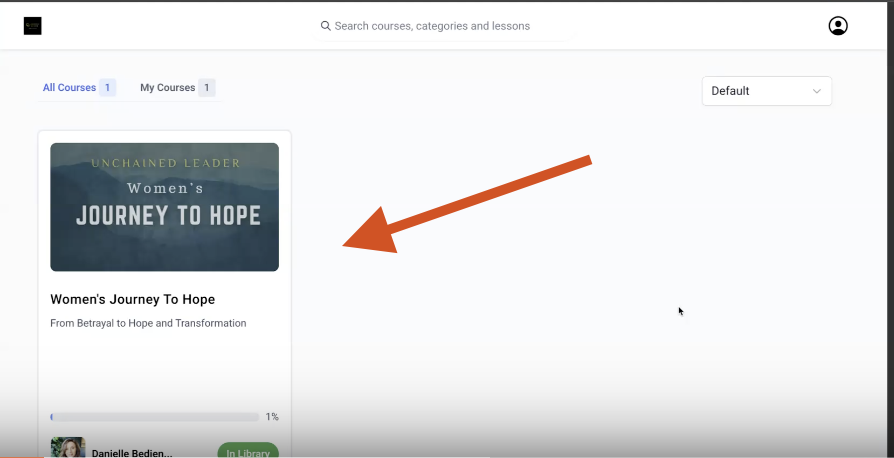
Step 1: Access Your Course from the Dashboard
After logging in, you’ll land on your home page (dashboard).
Locate the Women’s Journey to Hope course.
Click on the course to enter your course modules and video content.
Step 2: Explore the Orientation Section
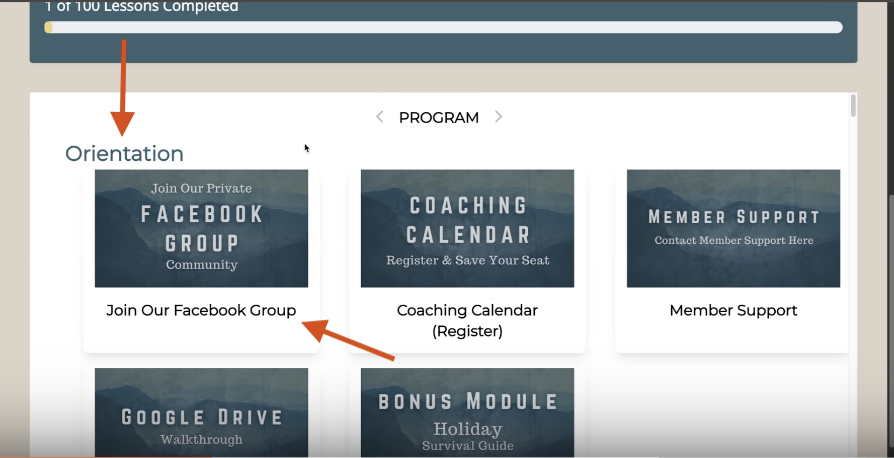
Inside the course, begin with the Orientation section.
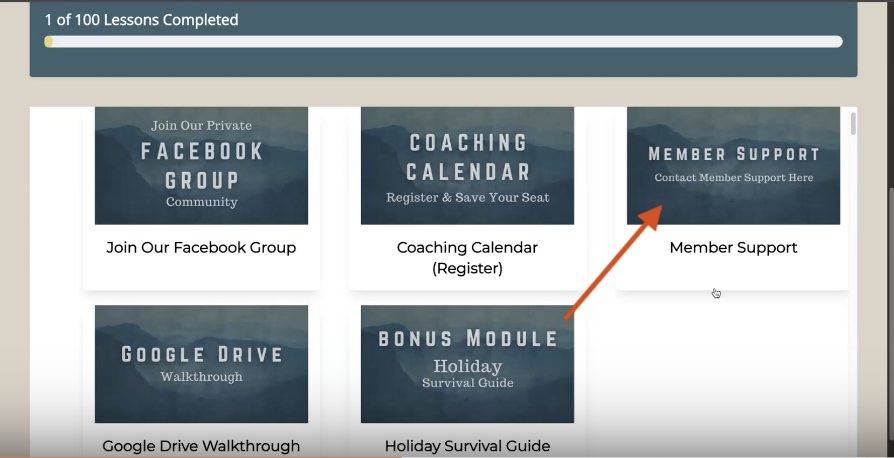
Join the Facebook Group using the link provided.
Review any introductory materials to get familiar with the program layout.
Step 3: Register for Live Coaching Calls
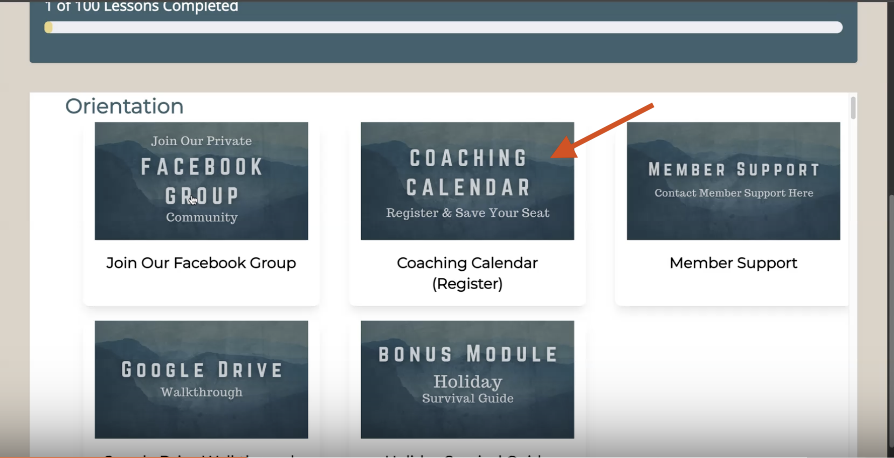
Locate the Coaching Calendar Register section inside your course.
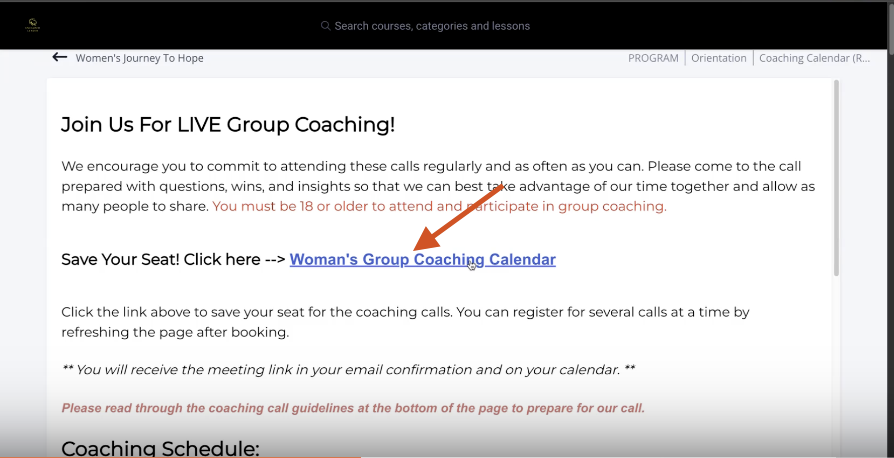
Click on the link labeled Women’s Group Coaching Calendar.
Follow the prompts to schedule your live coaching call.
Make sure to confirm your registration after selecting your date and time.
Step 4: Access Member Support and Resources
Click on Member Support to submit a support ticket if needed.
Use this area to contact the support team for technical or account issues.
Browse the Member Knowledge Base for:
Step-by-step guides
Frequently asked questions
Google Drive walkthroughs
Additional helpful resources
Step 5: Start Your Lessons
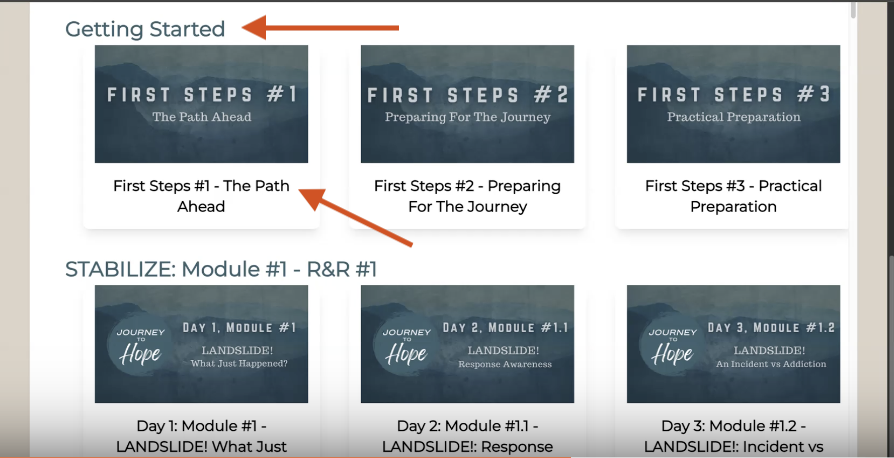
Navigate to the Getting Started section.
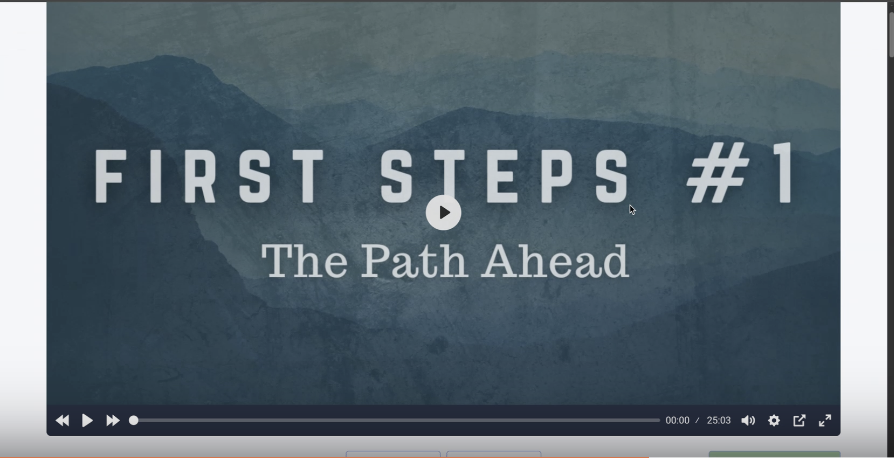
Click on the first lesson video.
Press Play to watch the video content.
Step 6: Download Your Worksheets and Assignments
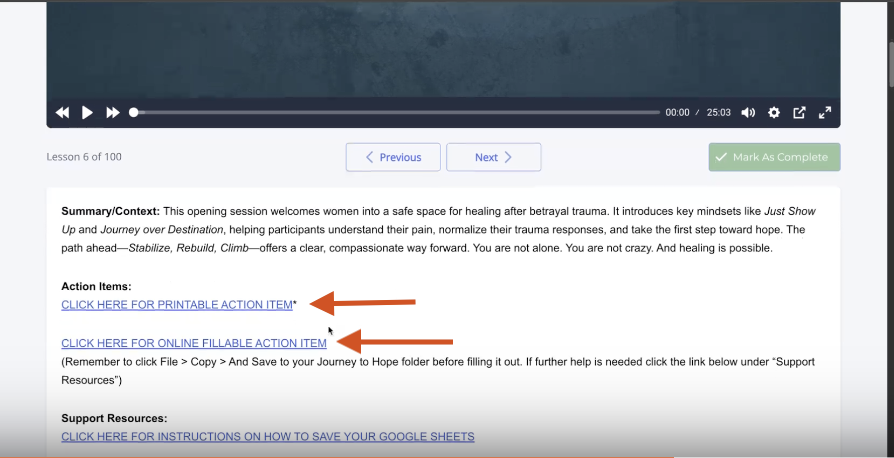
After watching the lesson, scroll down below the video.
Locate the lesson assignments and worksheets.
Choose from:
Printable versions
Digital versions for use in Google Drive
Download or open the version that works best for you.
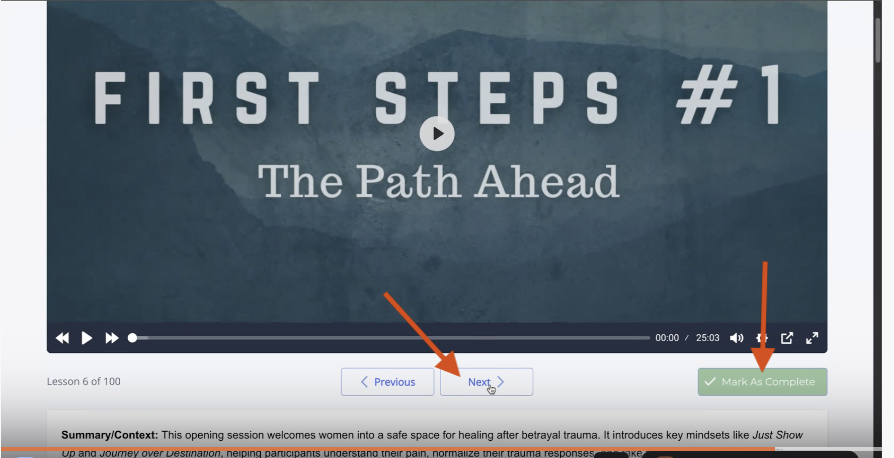
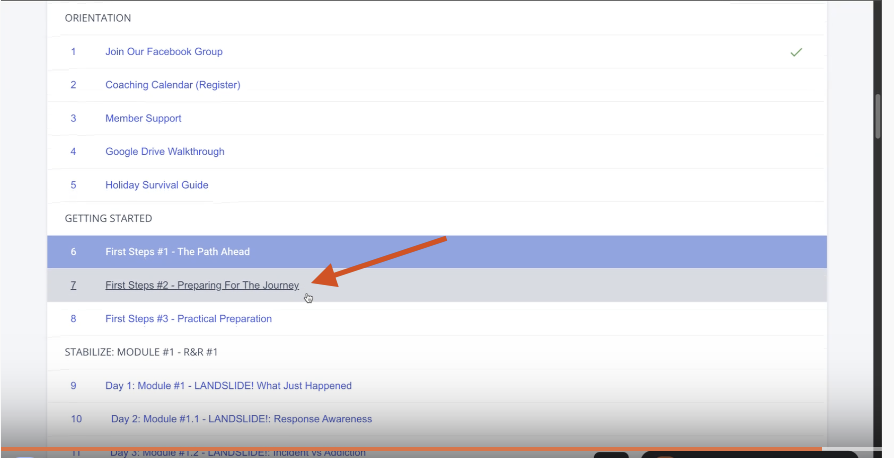
Step 7: Move to the Next Lesson
Click Next to continue to the following lesson.
Or scroll down and select the next video in the series.
Mark the lesson as Complete once finished.
Step 8: Return to Your Dashboard
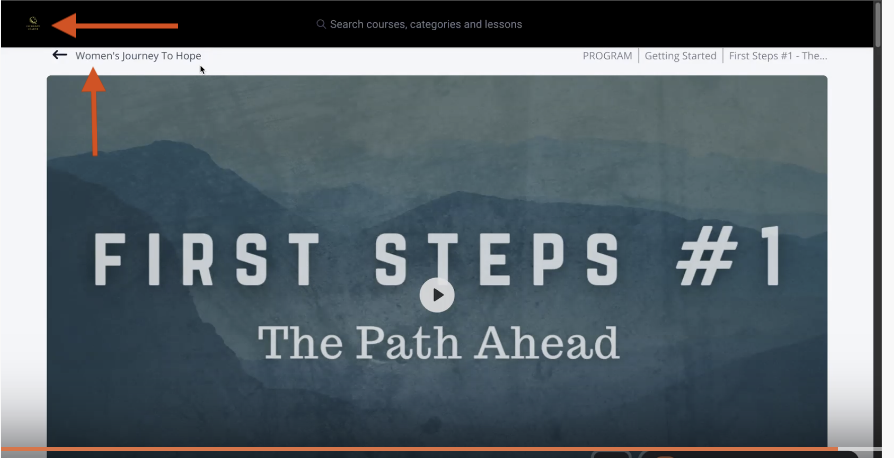
To go back to your dashboard, click the lion’s head logo at the top.
You can also use your browser’s back arrow to return to the previous page.
You’re All Set!
You now know how to:
Access your Women’s Journey to Hope course
Register for live coaching calls
Join the Facebook group
Download worksheets and assignments
Move through lessons and mark them complete
Contact member support
You’re ready to confidently navigate your member portal and begin your journey.
Still Stuck?
If you’ve followed these steps and are still having trouble, please reach out to our member support team.
You can send an email to the address below, or click on the link to go to our member support page and submit a support ticket.
Keywords to help you find this guide:
Women’s Journey to Hope, member portal navigation, course dashboard, coaching calendar registration, member support, knowledge base, download worksheets
Was this article helpful?
That’s Great!
Thank you for your feedback
Sorry! We couldn't be helpful
Thank you for your feedback
Feedback sent
We appreciate your effort and will try to fix the article